
Pizza Phone (Animatronic)
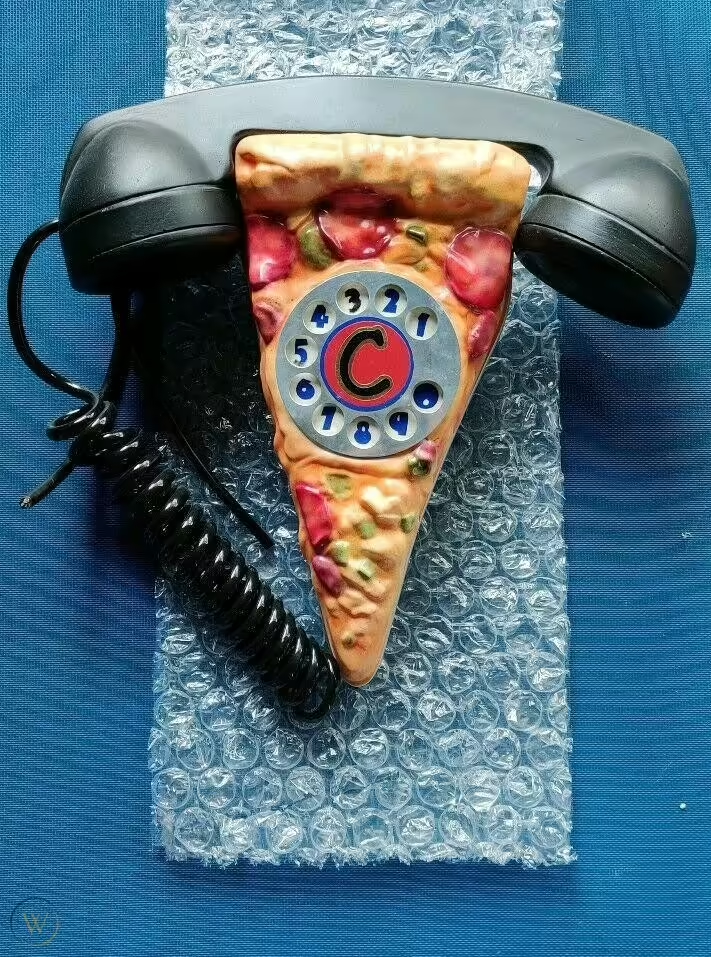
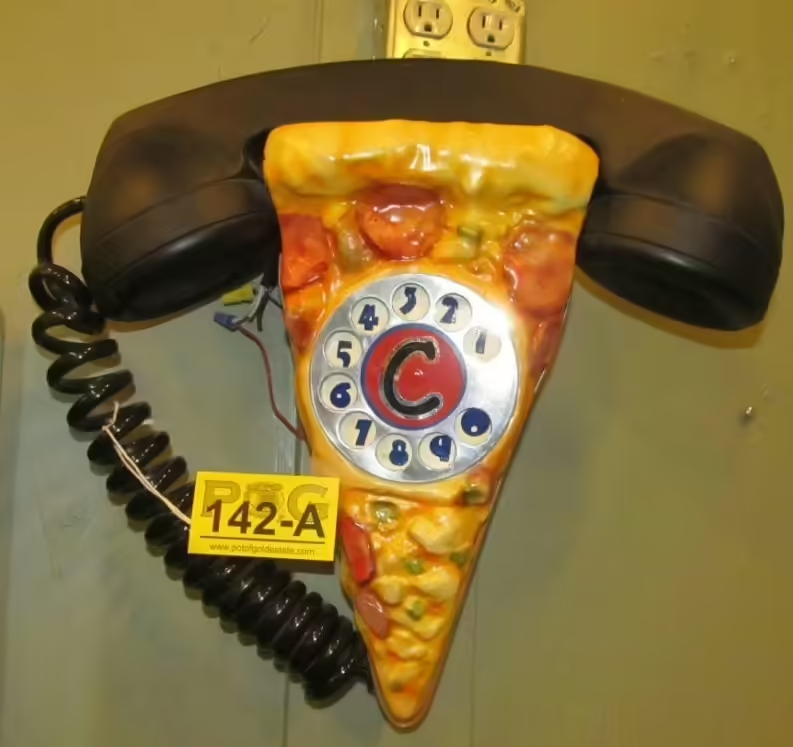
The Pizza Phone is an animatronic figure created by Garner Holt Productions, Inc. for Chuck E. Cheese’s locations, manufactured from 1997-2001. It was only used on the Studio C Alpha stage, and was also used at Jeddah (Corniche Road), Saudi Arabia on their unique Studio C Beta Prototype.
History
The Pizza Phone was created by Garner Holt Productions in 1997 as part of the Studio C Alpha stage, situated next to Chuck in the main booth. Pizza Phones would be installed from 1997-2002, alongside 2012 and 2015. In December of 2001, it would be installed in the Jeddah (Corniche Road), Saudi Arabia location on their unique Studio C Beta Prototype. The phone would not be included in the designs for Studio C Beta and Studio C Cappa going forward. In July of 2019 the Jeddah store would close, leaving the rest of Pizza Phones exclusively at Studio C Alpha locations. As of August 2024, only 7 Pizza Phones remain in stores.
Design
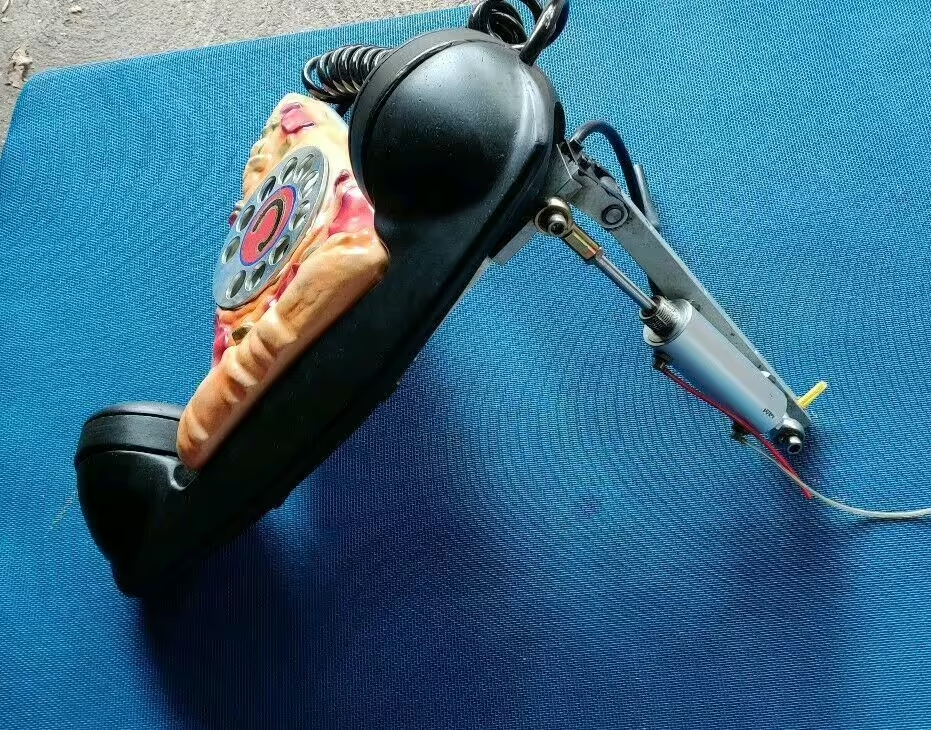
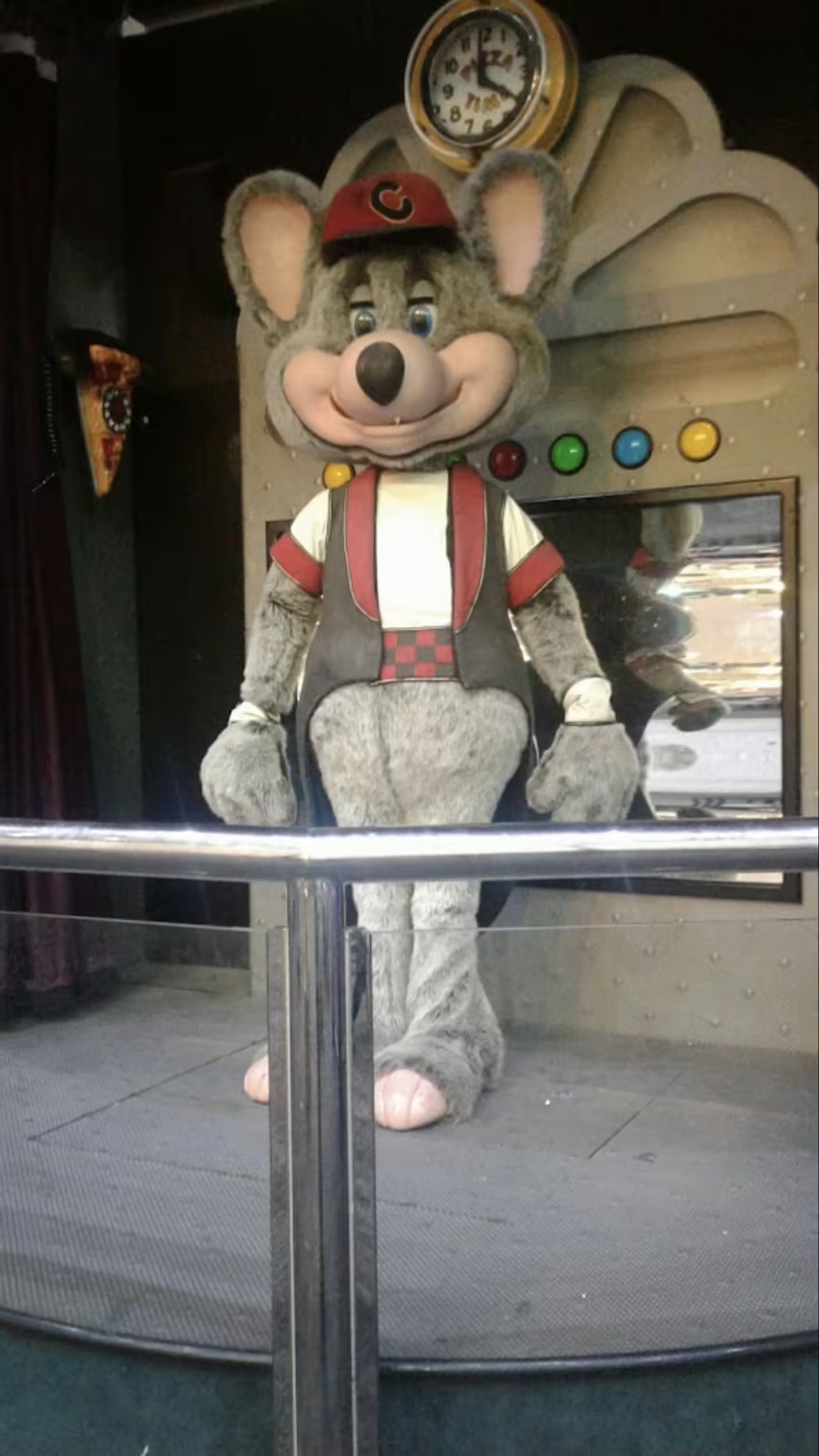
The Pizza Phone is designed like a slice of pizza, except it doubles as a telephone, complete with a phone on top, a cord on the side, a dial in the middle, which also has a ‘C’ in the middle of it. there are also lights inside, 3 for the pizza part, and 2 inside the dial, and the full figure swings out from the wall. The figure is hung on the wall to Chuck’s right, at his eye level.
Movements
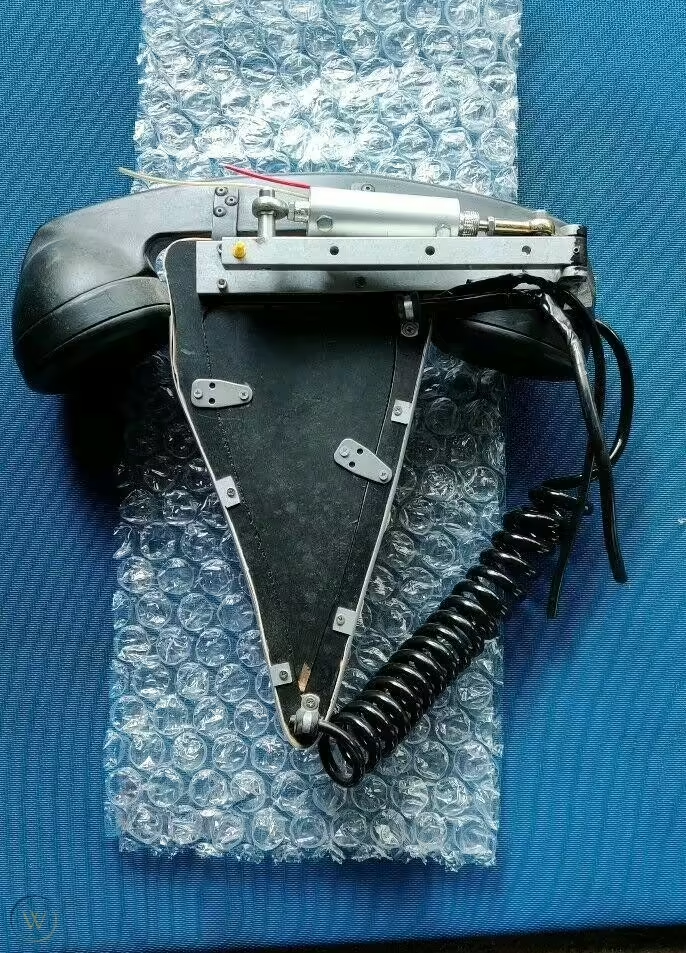
The figure features 1 movement in total. it also features two light functions.
| Bit # | Function |
|---|---|
| 40 | PHONE SWING |
| 17 | PHONE HANDSET LIGHTS |
| 18 | PHONE DIAL LIGHTS |
Installations
| Location | Operating Dates | Serial Number | Notes |
|---|---|---|---|
| Mesa (West), AZ (856 S Alma School Rd) | 1998 - Aug. 24, 2015 | unknown | unknown/destroyed |
| Phoenix, AZ (3329 E Bell Rd) | Mar. 29, 1999 - Jan. 2015 | unknown | unknown |
| Scottsdale, AZ (8890 E Indian Bend Rd) | Sep. 1999 - 2009 | Unknown | Unknown. |
| Sterling Heights, MI (13745 Lakeside Circle) | Feb. 2, 2000 - Aug. 13, 2023 | Unknown | Unknown |
| Portage, MI (6175 S Westnedge Ave) | Sep. 26, 2000 - Aug. 2018 | Unknown | Unknown |
![Pizza Phone position on a [[Studio C Alpha]]](/photos/u_PaqLNtpFMUAXtnozlw.avif)

Numbered in the order they appear. Reference in article text with .
Fields here update the page's metadata. All saves go through a pull request for review.
Location-specific fields: store info, coordinates, animatronics, remodels, stages, etc.
Showtape-specific fields.
Product-specific fields: pricing, sales records, manufacturer info.